


How to install an MPO cable in a rack?
Jun 08, 2026
Leave a message
Hey there! As an MTP MPO supplier, I've installed more MPO cables in racks than I can count. It might seem like a daunting task, especially if you're new to the game, but don't worry! I'm here to walk you through the process step by step.
Step 1: Gather Your Tools and Materials
Before you start, you'll need to make sure you have all the right tools and materials. Here's a quick list of what you'll need:


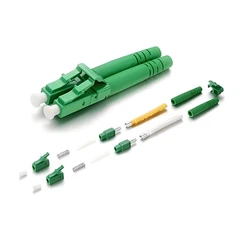
- MPO cables: You can choose from different types like MPO MTP LC PatchCord depending on your specific requirements.
- Rack: Make sure it's well - grounded and in a stable position.
- Cable management tools: Zip ties, cable combs, and cable trays are essential for keeping your cables organized.
- Screwdriver: To secure the cables and any mounting hardware.
- Cleaning supplies: Isopropyl alcohol and lint - free wipes to clean the MPO connectors.
Step 2: Plan Your Cable Route
Take a good look at your rack and plan out where you want to run the MPO cables. Consider factors like the location of your network devices, the length of the cables, and any potential obstacles. You want to avoid sharp bends or kinks in the cables as this can affect signal quality.
Step 3: Prepare the Rack
If your rack isn't already set up, now's the time to do it. Make sure all the mounting brackets and shelves are in place. You might also want to install cable management trays or vertical cable managers to keep your cables neat.
Step 4: Clean the MPO Connectors
Before you install the cables, it's crucial to clean the MPO connectors. Use isopropyl alcohol and a lint - free wipe to gently clean the end - faces of the connectors. This helps to remove any dust or debris that could interfere with the signal.
Step 5: Install the MPO Cables
Now it's time to install the cables. Start by carefully threading the cable through the cable management system in your rack. Make sure the cable is not twisted or tangled.
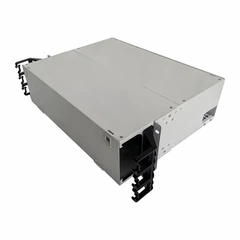
If you're using Mtp To Lc Cassette, insert the MPO end of the cable into the cassette. The cassette should have a clear indicator of which way the MPO connector should be inserted. Make sure it fits snugly.
For direct connections, align the MPO connector with the corresponding port on your network device. Gently push the connector in until you hear a click, indicating a secure connection.
Step 6: Secure the Cables
Once the cables are installed, use zip ties or cable combs to secure them to the cable management system. This helps to prevent the cables from moving around and getting damaged. Make sure not to over - tighten the zip ties as this can also damage the cables.
Step 7: Label the Cables
Labeling your cables is an important step. It makes it easier to identify and troubleshoot any issues in the future. You can use cable labels or marker pens to write down information like the cable's destination, the type of connection, and any other relevant details.
Step 8: Test the Connection
After you've installed and secured all the cables, it's time to test the connection. Use a network tester to check if the signal is being transmitted properly. If you encounter any issues, double - check the connections and make sure the cables are properly seated.
Step 9: Finalize the Installation
Once the connection is working properly, take a final look at your rack. Make sure all the cables are neatly organized and there are no loose ends. You can also add additional cable management accessories if needed.
Tips and Tricks
- When working with MPO cables, always handle them with care. The connectors are delicate and can be easily damaged.
- If you're running multiple cables, try to group them by function or destination. This makes it easier to manage and troubleshoot.
- Don't be afraid to ask for help if you're unsure about any step of the installation process. There are plenty of resources available online, or you can reach out to us as your MTP MPO supplier.
Why Choose Our MPO Cables?
As an MTP MPO supplier, we take pride in offering high - quality products. Our MTP PatchCord and other MPO products are designed to meet the highest industry standards. They are reliable, durable, and offer excellent signal transmission.
If you're in the market for MPO cables or related products, we'd love to have a chat with you. Whether you're a small business setting up a new network or a large enterprise looking to upgrade your existing infrastructure, we can provide the solutions you need. Contact us to discuss your requirements and get a quote.
References
- Telecommunications Industry Association (TIA) standards for cabling installations.
- Manufacturer's guidelines for MPO cable products.
Send Inquiry