


How to install an optic fiber adapter in a wall - mounted box?
Jun 29, 2026
Leave a message
Installing an optic fiber adapter in a wall - mounted box is a crucial task that requires precision and knowledge. As a reputable optic fiber adapter supplier, I am here to guide you through the entire process step - by - step.
Prerequisites
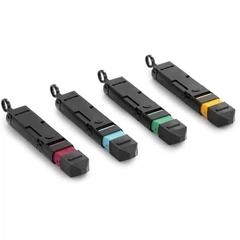
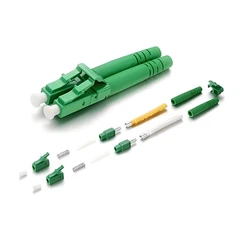
Before you start the installation, you need to gather the necessary tools and materials. You will need an optic fiber adapter (such as the Sc Sx Shutter Adapter, E2000 LC Hybrid Adapter, or E2000 SC Hybrid Adapter), a wall - mounted box, a drill, screws, a screwdriver, fiber optic cables, and a cleaning kit for the fibers.
Step 1: Select the Right Location
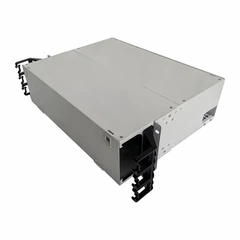
The first step in installing an optic fiber adapter in a wall - mounted box is to choose the appropriate location. The wall - mounted box should be installed in a place that is easily accessible for maintenance and troubleshooting. It should also be away from sources of heat, moisture, and electromagnetic interference. A common choice is near a network switch or router.
Step 2: Prepare the Wall - Mounted Box
Once you have selected the location, it's time to prepare the wall - mounted box. Use a drill to create holes in the wall according to the mounting holes on the box. Make sure the holes are deep enough to hold the screws securely. Then, attach the wall - mounted box to the wall using screws and a screwdriver. Ensure that the box is level and firmly attached to the wall.
Step 3: Open the Wall - Mounted Box
After the box is mounted on the wall, open it to access the internal space. Most wall - mounted boxes have a removable cover that can be easily taken off. This will give you access to the mounting area for the optic fiber adapter.
Step 4: Install the Optic Fiber Adapter
Take the optic fiber adapter and carefully insert it into the designated slot in the wall - mounted box. Make sure the adapter is properly aligned with the slot. Some adapters may require a specific orientation, so refer to the manufacturer's instructions. Once the adapter is inserted, use screws to secure it in place. Tighten the screws gently to avoid damaging the adapter.


Step 5: Connect the Fiber Optic Cables
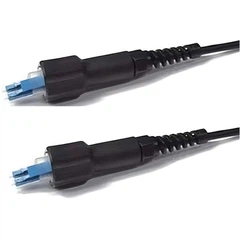
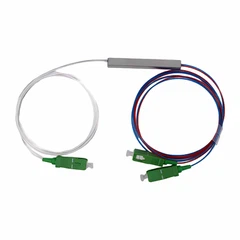
Before connecting the fiber optic cables, clean the fiber ends using a cleaning kit. This will remove any dust or debris that could affect the signal transmission. Then, insert the fiber optic cables into the optic fiber adapter. Make sure the connectors are properly inserted and locked in place. Some adapters have a locking mechanism to ensure a secure connection.
Step 6: Test the Connection
After connecting the fiber optic cables, it's important to test the connection. Use a fiber optic tester to check the signal strength and quality. If the test results are satisfactory, the installation is successful. If there are any issues, check the connections and make sure the cables are properly inserted and the adapter is working correctly.
Step 7: Close the Wall - Mounted Box
Once the connection is tested and confirmed to be working, close the wall - mounted box. Replace the cover and make sure it is securely fastened. This will protect the optic fiber adapter and the cables from dust, moisture, and physical damage.
Tips for a Successful Installation
- Read the Manual: Always read the manufacturer's instructions for both the wall - mounted box and the optic fiber adapter. This will ensure that you install them correctly and avoid any potential problems.
- Use the Right Tools: Using the right tools for the job is essential. A proper drill, screwdriver, and cleaning kit will make the installation process much easier and more efficient.
- Be Careful with the Fibers: Fiber optic cables are delicate and can be easily damaged. Handle them with care and avoid bending or twisting them too much.
Why Choose Our Optic Fiber Adapters
As a leading optic fiber adapter supplier, we offer a wide range of high - quality adapters. Our adapters are designed to provide reliable and efficient signal transmission. They are made from high - quality materials and undergo strict quality control to ensure their performance. Whether you need a Sc Sx Shutter Adapter, E2000 LC Hybrid Adapter, or E2000 SC Hybrid Adapter, we have the right product for your needs.
Contact Us for Procurement
If you are interested in purchasing our optic fiber adapters or have any questions about the installation process, we encourage you to reach out to us. Our team of experts is ready to assist you with your procurement needs and provide you with the best solutions for your fiber optic network.
References
- Fiber Optic Installation Handbook
- Manufacturer's Instructions for Wall - Mounted Boxes and Optic Fiber Adapters
Send Inquiry